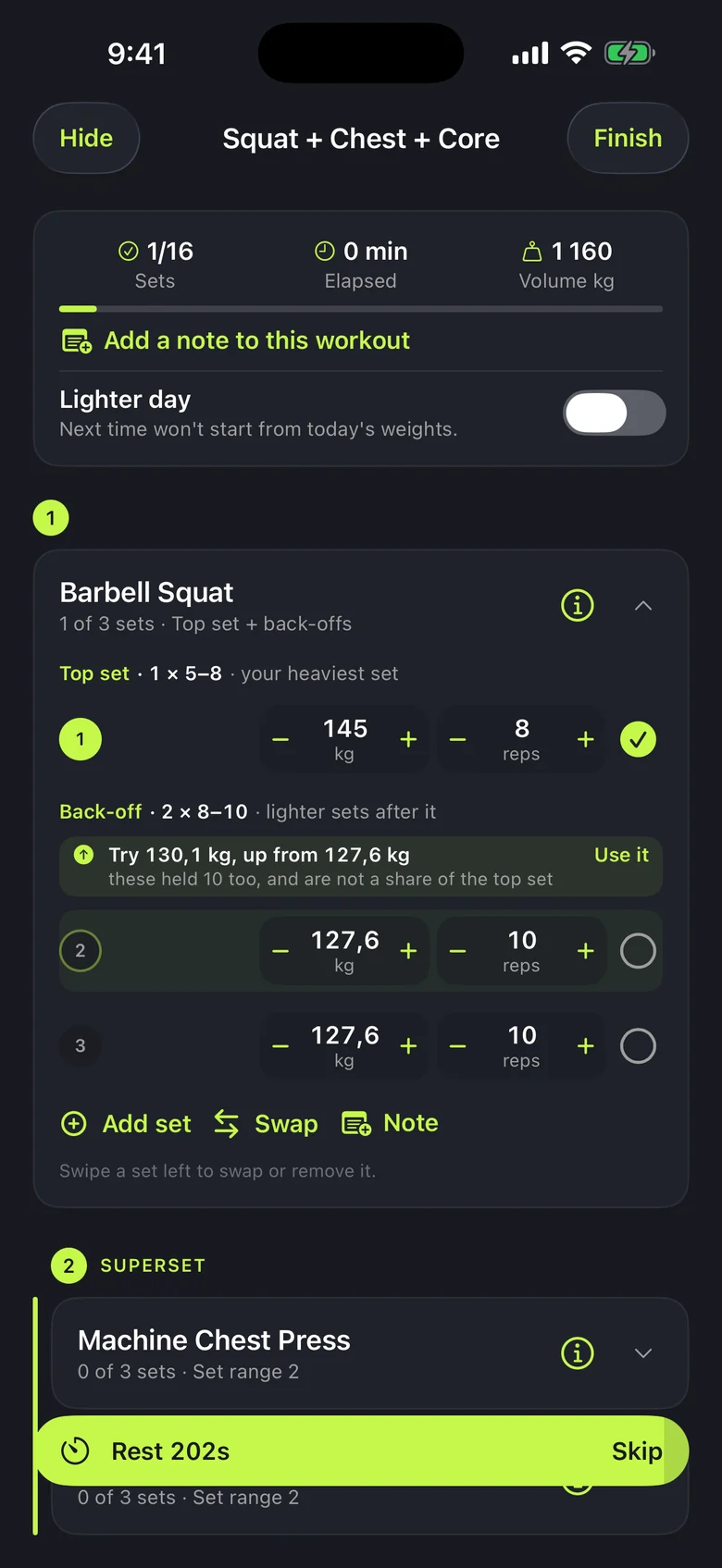
Your session
Start from your last session
Less typing between sets.
- Weights and reps filled in from your last session.
- A suggested weight with an explanation.
Workouts, body measurements and weekly reviews in one free app.
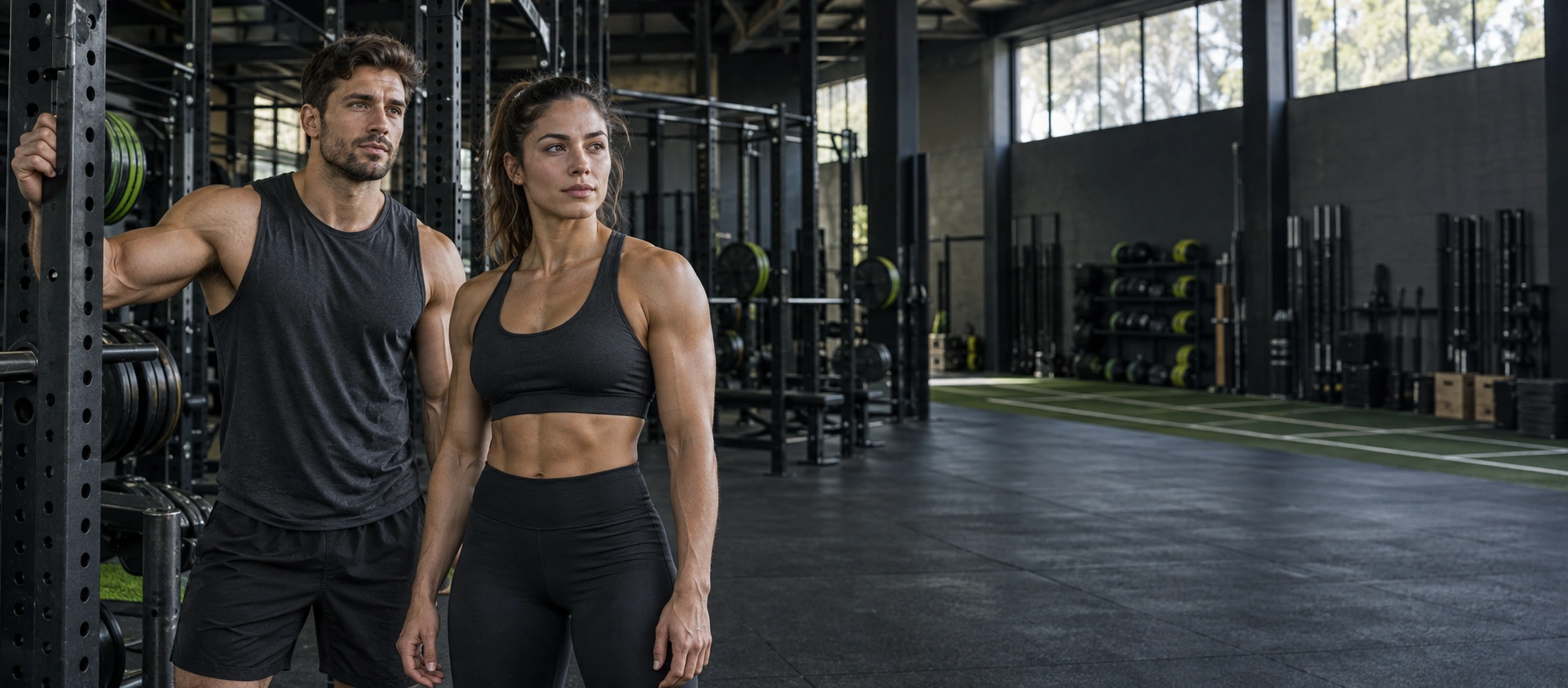
From your first step to your last set.
Less typing between sets.
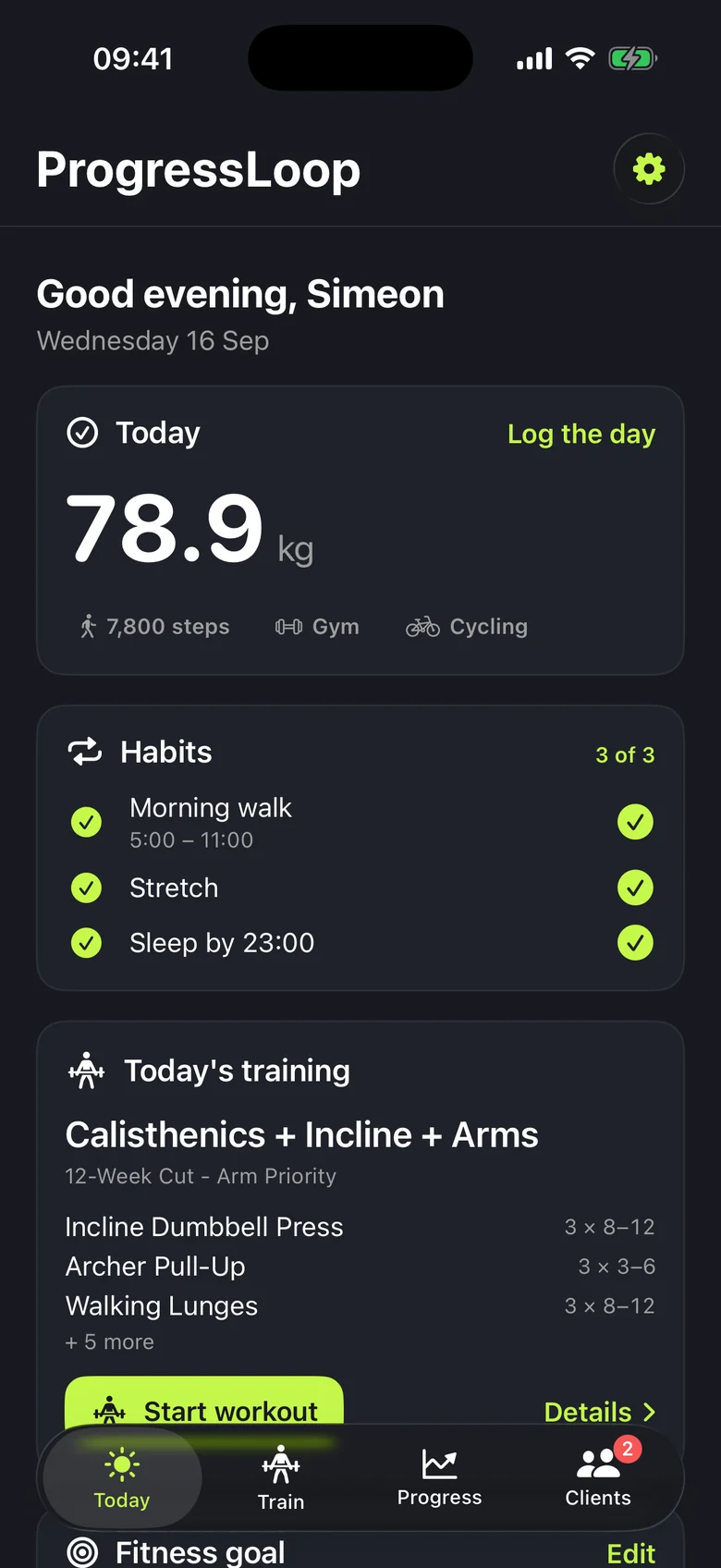
See what you've done, what's left and how you're doing against your plan.

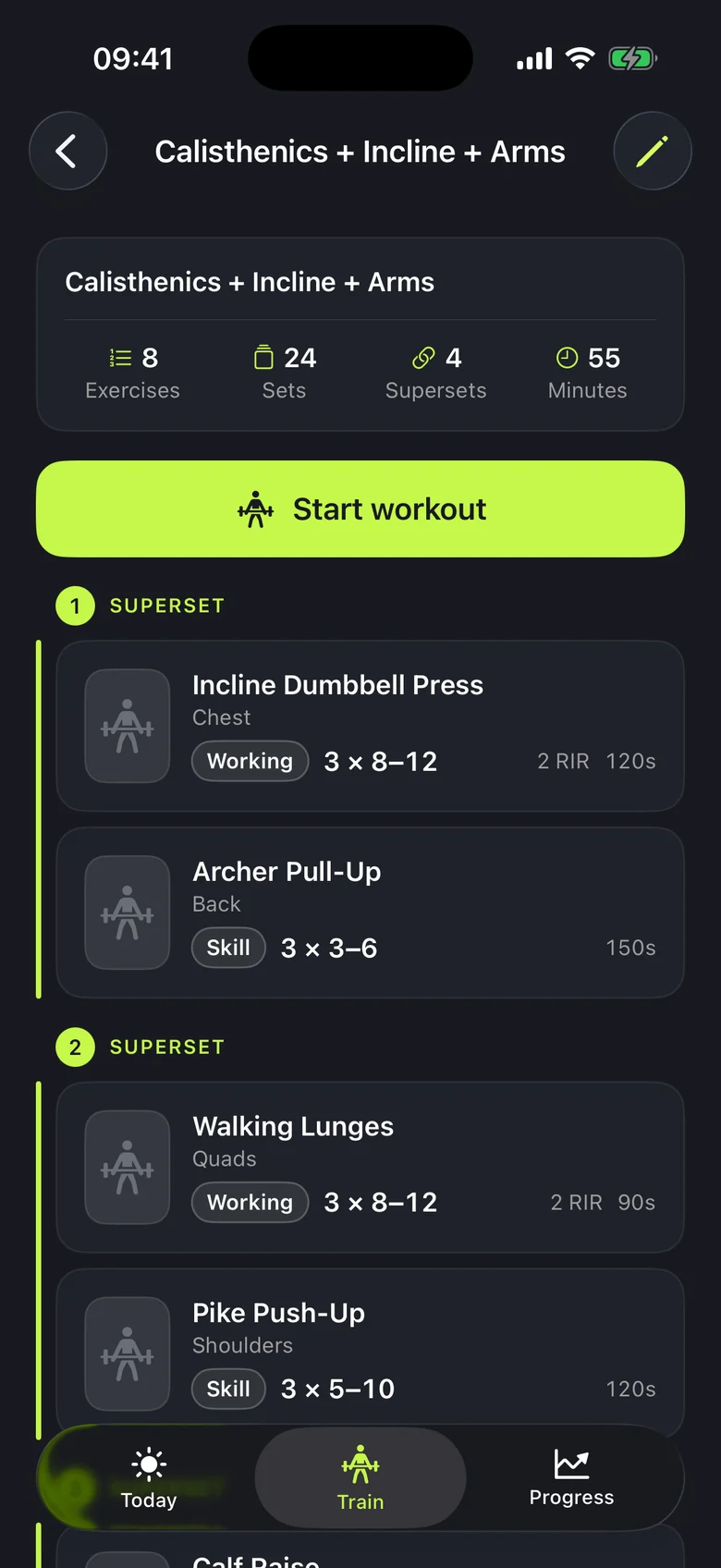
Weight, reps and rest - everything is there before you start.
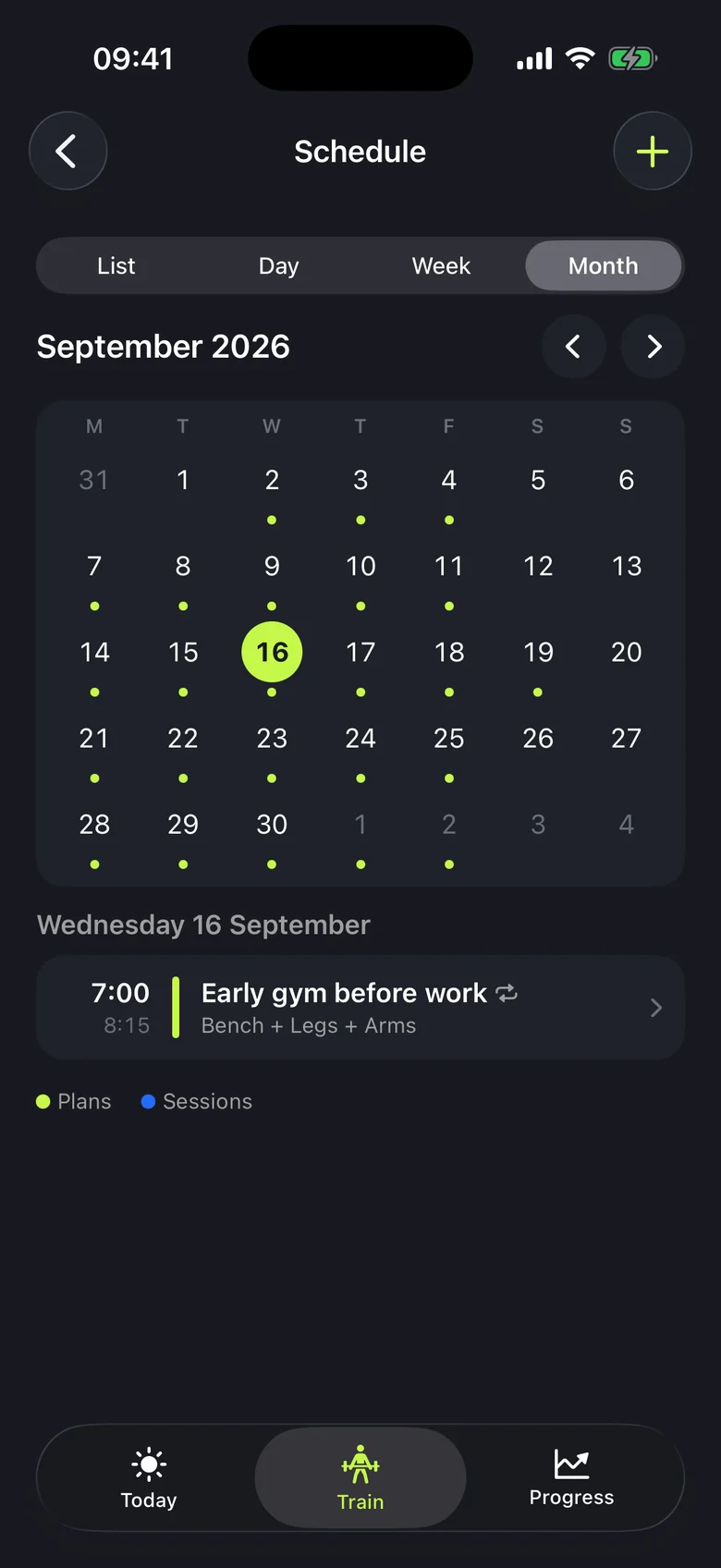
Set a repeating schedule. When plans change, move one workout without changing the rest.
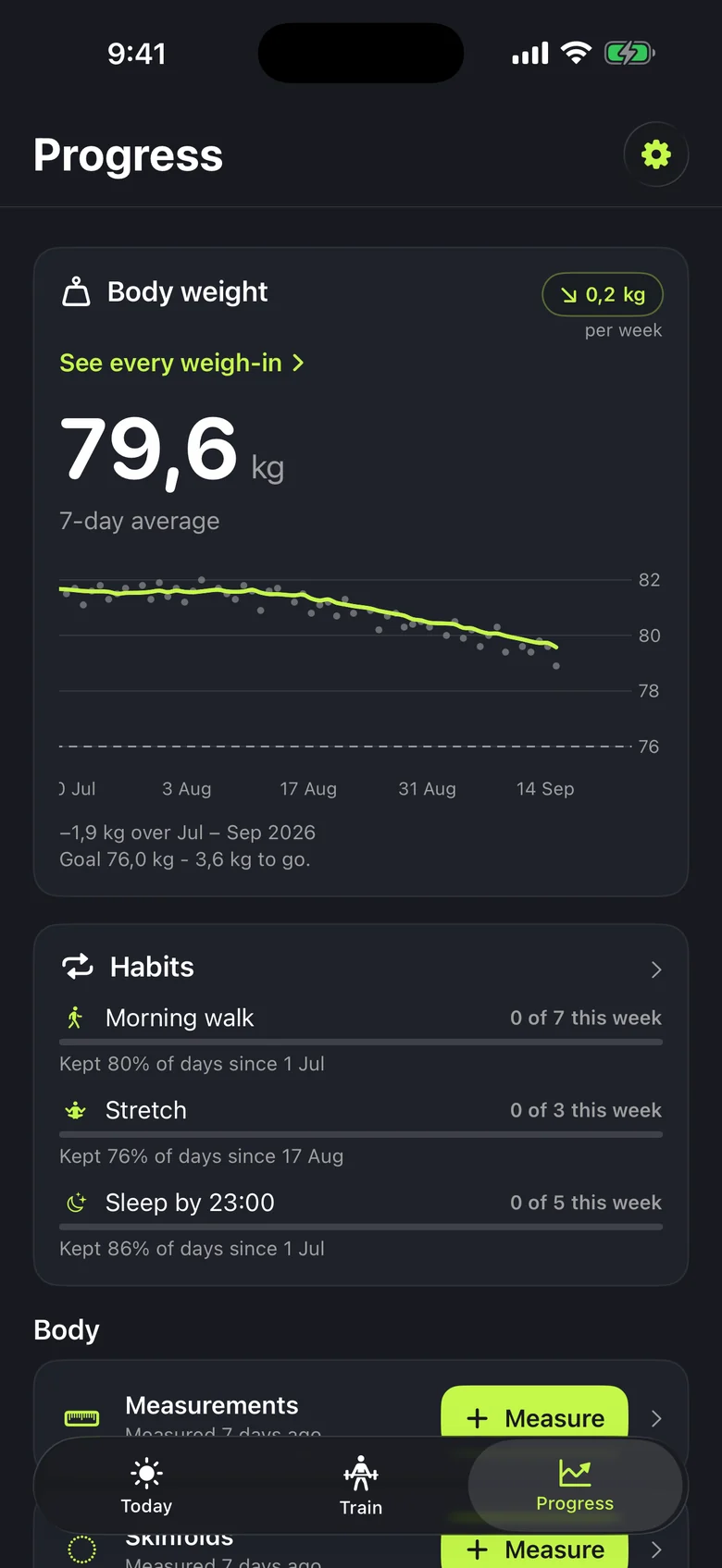
Each figure shows the period it covers.
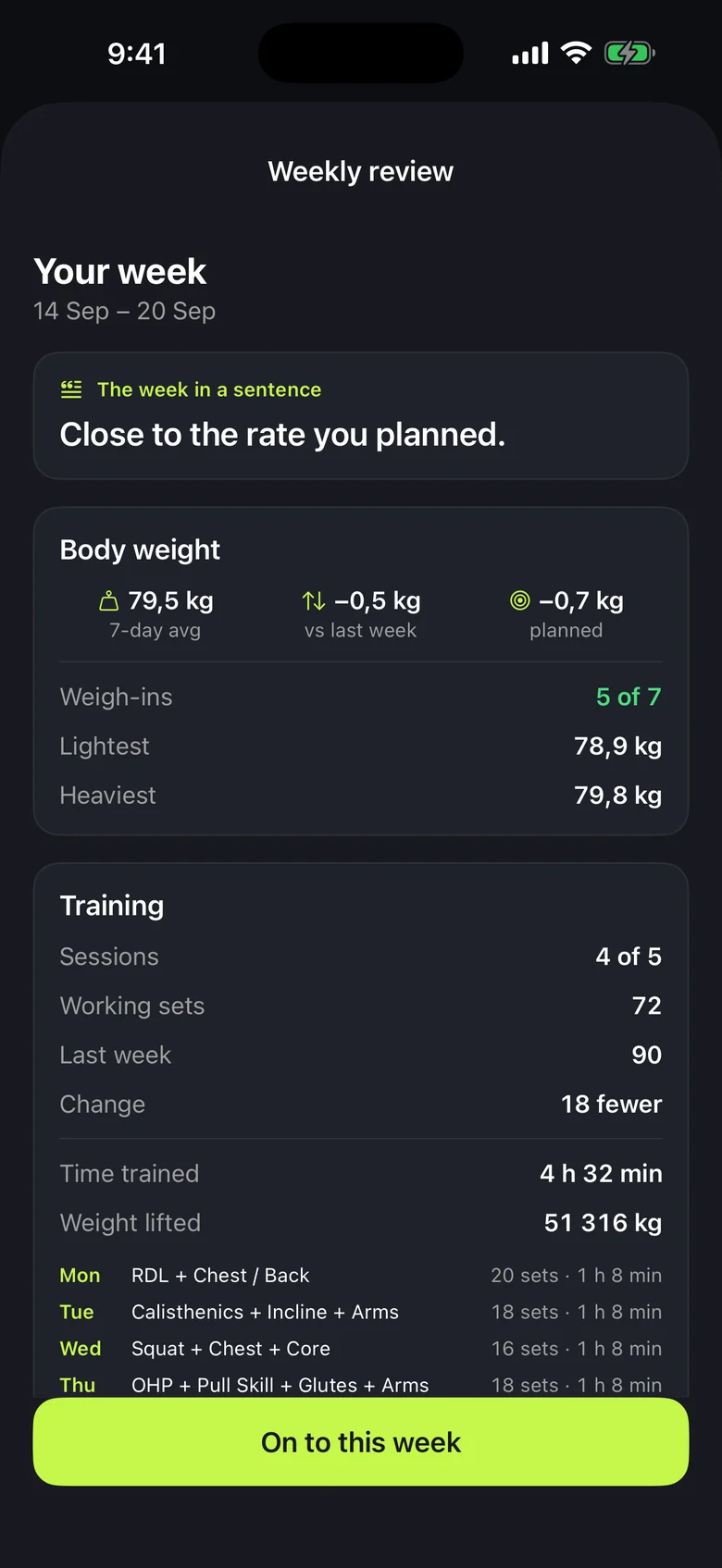
Compare your results with your plan and the previous week.
Plan workouts, log sets and follow your progress. Connect Health Connect for steps and activities. These are real screens from the Android app, now in closed testing.
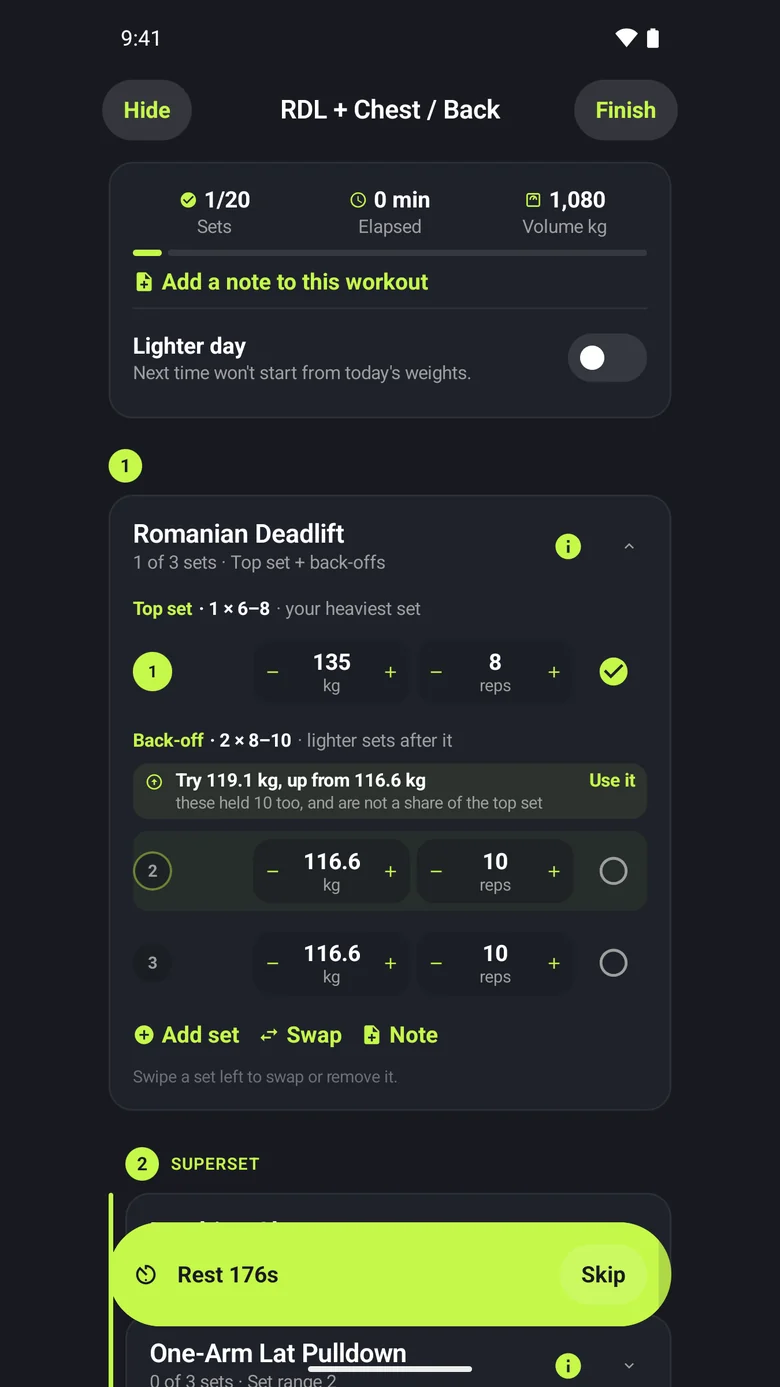
Sets filled in from last time, plus a suggested weight and an explanation.
Choose a ready-made programme or build one around fixed days, a cycle or a flexible schedule.
Practise a skill as part of your workout and move to the next level when you feel ready.
Keep your plans in sync with your iPhone calendar or Google Calendar.
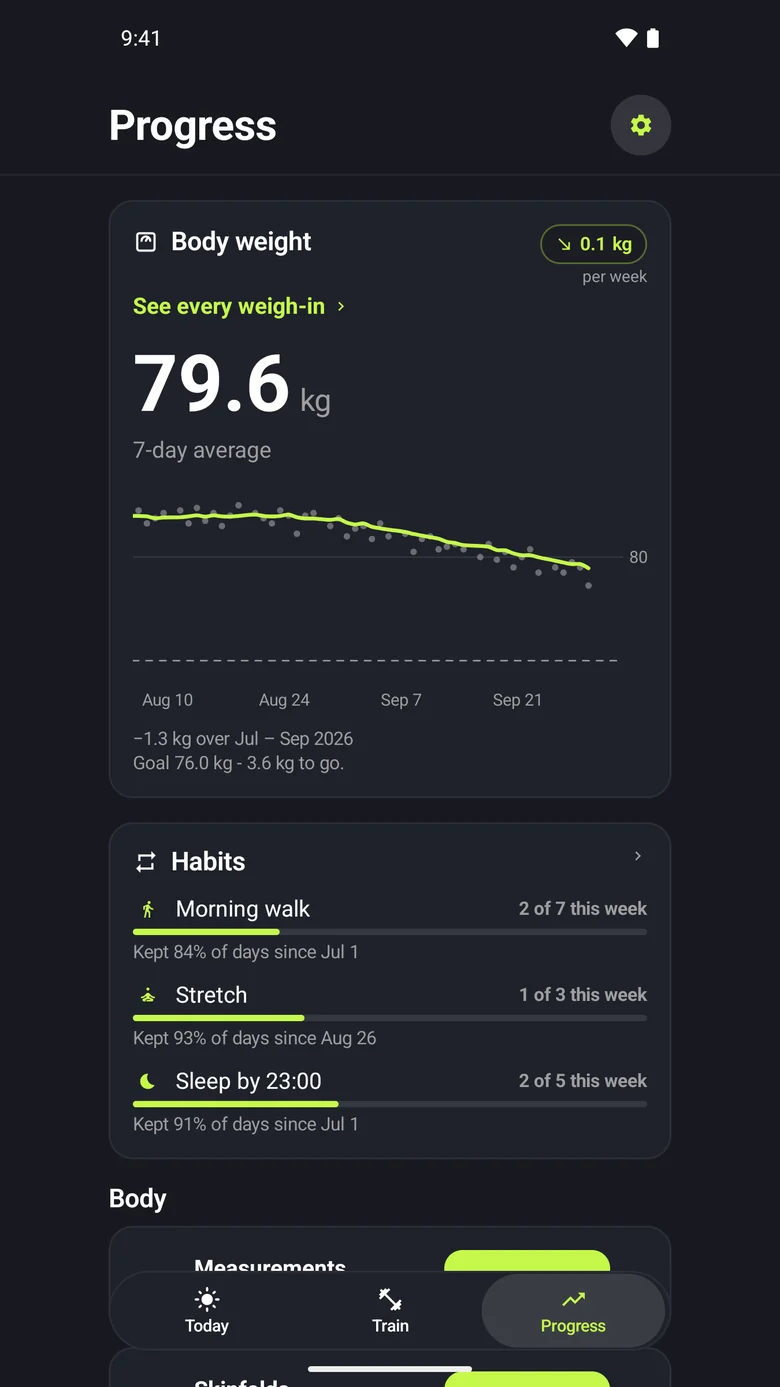
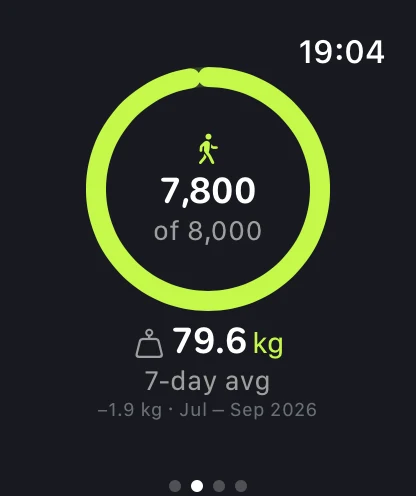
A seven-day weight average helps you see the trend beyond daily fluctuations.
Use the example photo to find each pose, then take your photo with a voice command.
Log a set or skip your rest from the lock screen or Dynamic Island.
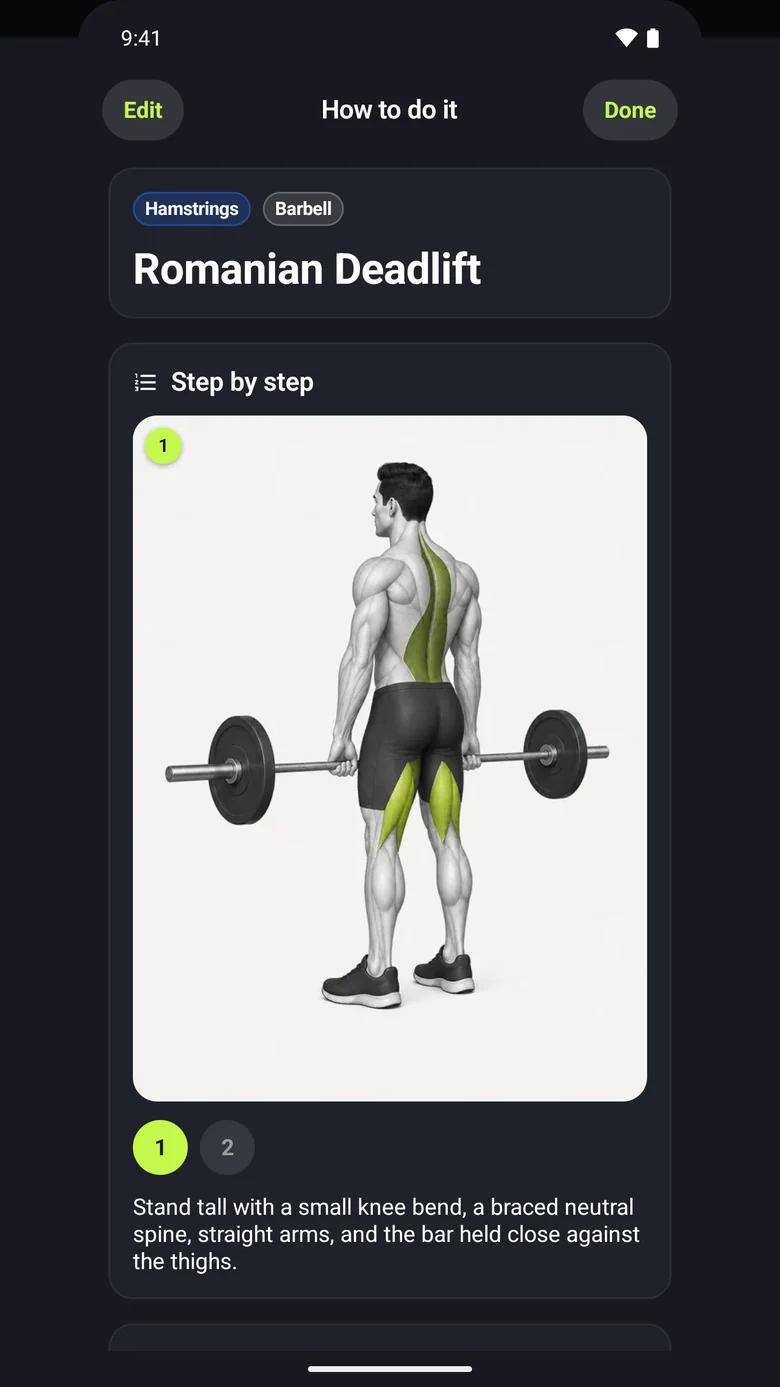
Open step-by-step instructions and technique pictures while you train.
Start from the most liked ready-made recipes, or save your own and scale them to your portions.
Ask for recipes using what you have, or paste one to save. Optional AI help, with your consent.
Put your workout stats on a photo. Save it or share it as an Instagram story.
Add the workouts and programmes your trainer sends you. Open their PDFs from the Trainer tab.
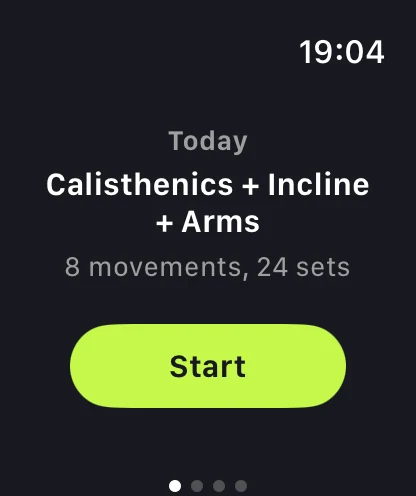
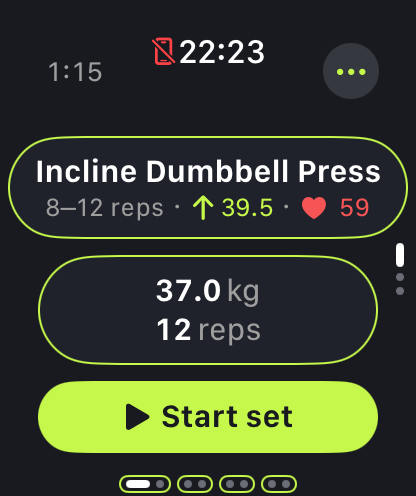
Log sets, follow your rest timer and see your heart rate on Apple Watch. An app for Wear OS is coming soon with Android. The screens below show Apple Watch.
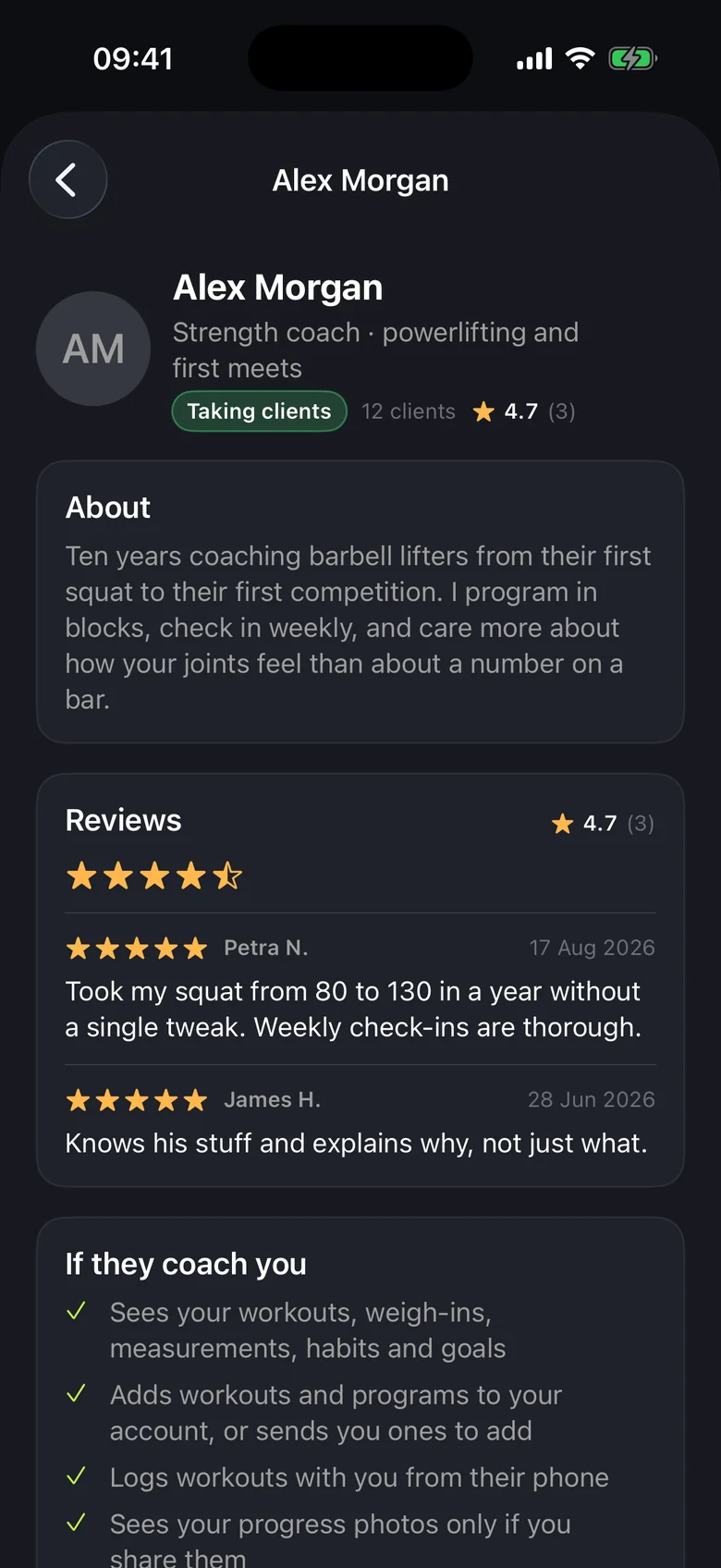
Find a trainer and keep your plan, progress and booked sessions in one place.
Browse specialities, ratings and reviews. Send a request with a short message.
Your trainer can see your log and send plans you can add. Photos are shared only with your permission.
Choose an available time with your trainer. Request a new time or cancel with a note.
We do not vet trainers. Check their experience and qualifications before choosing whom to work with.
Comparing the free iPhone versions.
| Feature | ProgressLoop | Hevy | Strong |
|---|---|---|---|
| Pricing | Free, no subscription | Free + optional Pro | Free + optional Pro |
| Saved workout routines | No limit | Up to 4 | Up to 3 |
| Strength progress charts | Your full history | Up to 3 months; more with Pro | Requires Pro |
| Waist, arms and other measurements | Included | Waist; others with Pro | Requires Pro |
| Bulgarian interface | Yes | No | No |
Checked against official sources on 24 September 2026. Paid plans and features may change.
Yes. No subscription, no in-app purchases, no ads. Trainers may charge for their services. You agree on prices and terms directly with them.
Yes. It keeps your data accessible if you lose or replace your phone. Sign up with Apple, Google or an email address and password.
Coming soon. ProgressLoop for Android is in closed testing before its public Google Play release. The Android screens on this page are a preview.
English and Bulgarian. Exercise names can stay in English even when the rest of the app is in Bulgarian.
A workout in progress is saved on the device and synced once you are back online. The rest of the app needs a connection.
Yes. In Settings, you can download your data as JSON or CSV, or permanently delete your account. Coaching records are not included in those files yet. Contact us if you need them.
It reads only the data you allow, such as steps and workouts, and never sells it or uses it for ads. Workouts completed on your watch are also saved to Apple Health.
On AWS servers in Frankfurt. If you turn on AI analysis, training figures and the workout and day notes for that week are sent to OpenAI for analysis, without your name, email or account ID. The optional meal assistant also sends your request and relevant goal and food preferences to OpenAI, with separate consent. If you allow app analytics, which is off until you say yes, Google Analytics for Firebase learns which screens and steps you use, never what you record, and Google may process that outside the EU. The Privacy Policy explains exactly which data is sent.
Yes. Turn on sync with your iPhone calendar or Google Calendar. You can also add individual plans manually.
For each type of message, choose email, a notification on your phone or both.
No. Weight suggestions are calculated from your logged workouts. You can find more details in the Terms of Use.
Make a plan, log your first set and follow your progress with ProgressLoop.
iPhone with iOS 26.2 or later. Apple Watch with watchOS 26.2 or later.