Log your sets from your watch
Log sets, time your rests and check your heart rate. Your workout syncs with your iPhone.
Apple Watch is available with the iPhone app. Wear OS is coming soon with Android. The screens below show Apple Watch.
ProgressLoop for Wear OS
We are preparing ProgressLoop for Wear OS 4 and later, alongside the Android app.
Sets, rest and heart rate
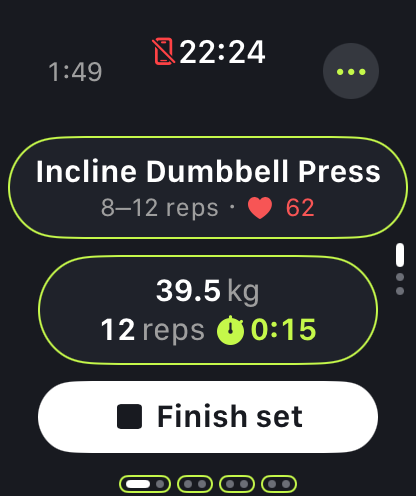
Log weights and reps, follow your rest timer and review your average and peak heart rate. Wear OS does not report calories in ProgressLoop.
Your day at a glance
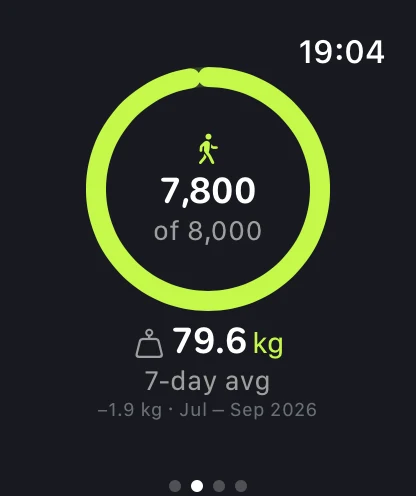
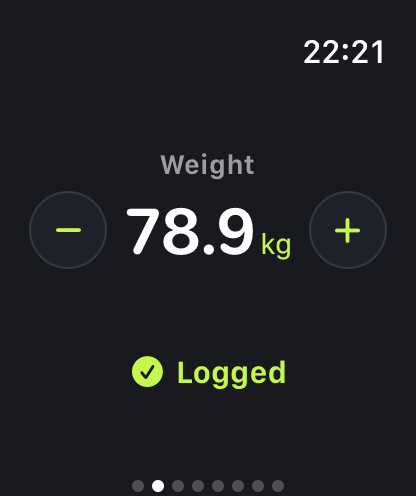
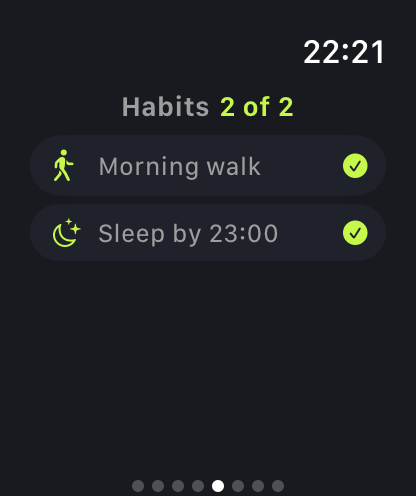
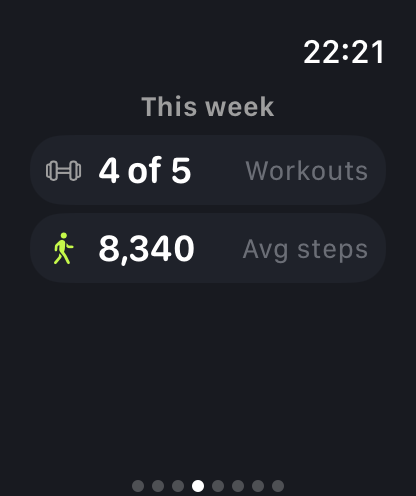
Log a weigh-in, tick off habits and see steps from your watch face or the Today tile.
Connected through your phone
Sign in through the Android app. The watch saves an active workout without a connection and syncs through your phone when it can. Finished workouts can be written to Health Connect with your permission.
Coming soon. Apple-only controls such as Siri, Double Tap and Smart Stack belong to Apple Watch.
On Apple Watch
Included with the iPhone app.
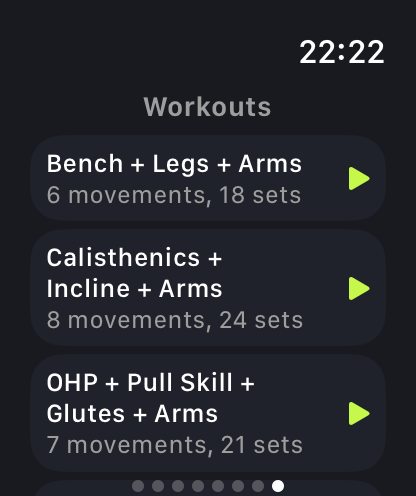
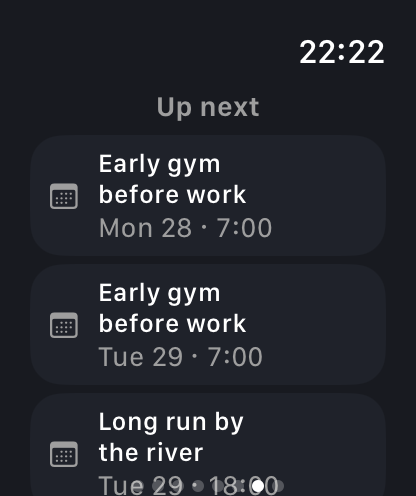
Pick your workout on your wrist
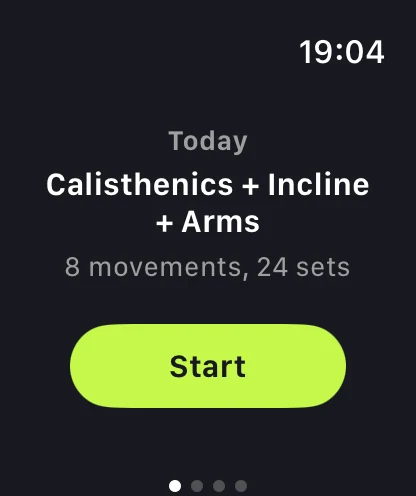
Open the app to see today's plan, or swipe to browse your other workouts.
- Start a workout in the app, with Siri or Shortcuts, or with the Action button on Apple Watch Ultra.
- Check your schedule to see what's coming up.
- Switch to your iPhone whenever you like. Both devices show your workout as you log it.
One set at a time
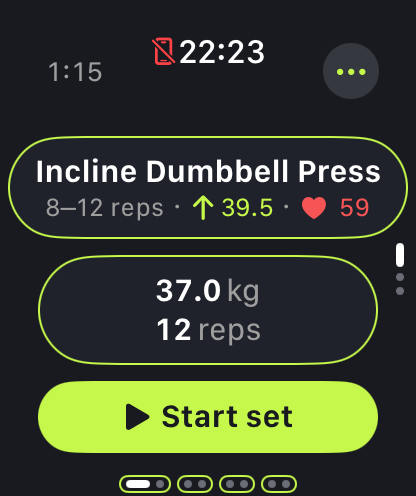
Your exercise, target and set details on one screen, with numbers you can read at a glance.
- Turn the Digital Crown to adjust the weight or reps, then tap to log the set.
- Use the double tap gesture to activate the main button on supported watches.
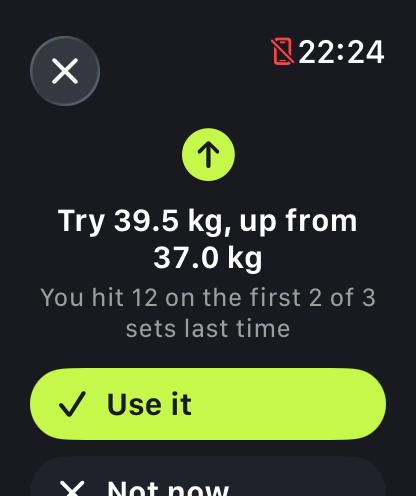
- See a weight suggestion based on your last session, with an explanation of why it was chosen.
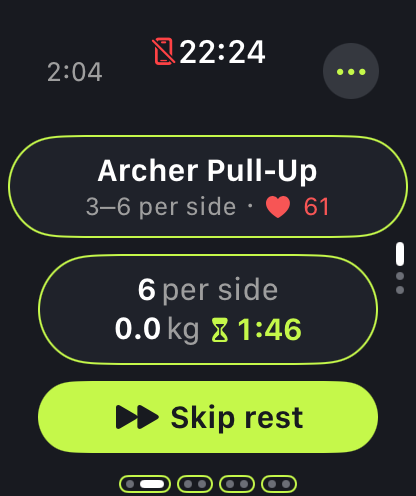
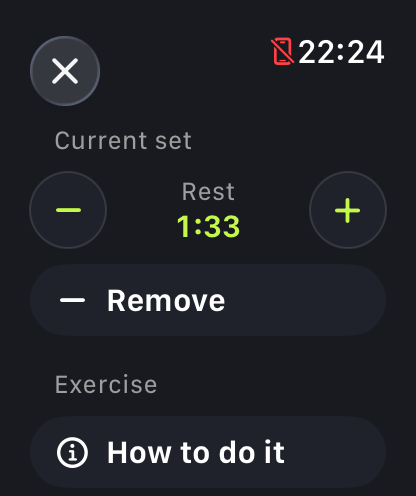
Keep your rest on track
The rest timer starts automatically. Your watch vibrates when it's time for the next set.
- Adjust your rest time or remove a set you want to skip.
- For timed holds, a countdown tracks your target and records how long you held.
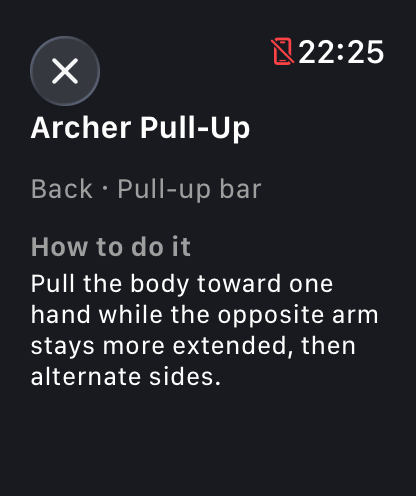
- Look up exercise instructions without reaching for your phone.
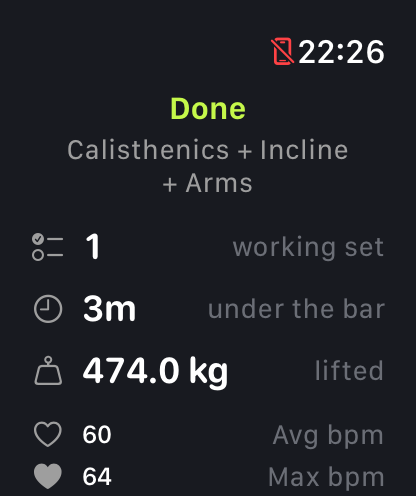
See how your workout went
Review your working sets, workout time and total weight lifted, alongside your average and peak heart rate and calories burned.
- Your session is saved to ProgressLoop. Workout time, heart rate and active energy are also recorded in Apple Health.
- If you have a trainer, they see the same figures.
- Your watch saves the workout even without a signal and syncs it when you're back online.
More than your workout
Keep track of your day without picking up your phone.
- Log your morning weight with the Digital Crown.
- Tick off habits and log activities.
- See this week's workouts and your average daily steps.
Outside your workout
On your watch face
Add Today, Steps or Weight to your watch face. Tap Weight to log your morning weigh-in.
Always On
Your workout stays visible when you lower your wrist.
In your Smart Stack
Start a workout on your iPhone and follow it in your watch's Smart Stack.
Apple Health
Each workout is saved to Apple Health and counts towards your rings.
Works offline
Workouts, weigh-ins and completed habits are saved on your watch and synced when you're back online.
English and Bulgarian
Available in both languages, just like the iPhone app.
Getting started on Apple Watch
Which watches does it work with?
Apple Watch with watchOS 26.2 or later, paired with an iPhone that has ProgressLoop installed.
Do I need my iPhone with me?
You need your iPhone for the first sign-in. After that, you can train with just your watch. It uses its own connection when available and saves your workout even without a signal.
Is the watch app free?
Yes. It's included with the free iPhone app.
What does it save to Apple Health?
A strength training workout with its duration, active energy and heart rate. Exercise names, weights and reps are saved to your ProgressLoop account. See the Privacy Policy for details.
Leave the phone in the locker
Download ProgressLoop on your iPhone and sign in to get started. The Apple Watch app is included.
iPhone with iOS 26.2 or later. Apple Watch with watchOS 26.2 or later.